

Coinbase remains America's most trusted cryptocurrency exchange in 2026, but that trust comes at a premium. Our hands-on testing found fees ranging from 0.5% to 4%+ depending on payment method—significantly higher than competitors like Kraken (0.16%) or Binance.US (0.1%). However, for beginners prioritizing security, regulatory compliance, and ease of use over rock-bottom fees, Coinbase delivers unmatched peace of mind.
Overall Rating: 4.0/5 ⭐⭐⭐⭐
| Category | Rating | Summary |
|---|---|---|
| Fees & Pricing | ⭐⭐ 2/5 | High fees, poor transparency |
| Security | ⭐⭐⭐⭐⭐ 5/5 | Industry-leading, FDIC insured |
| Ease of Use | ⭐⭐⭐⭐⭐ 5/5 | Best-in-class for beginners |
| Crypto Selection | ⭐⭐⭐⭐ 4/5 | 200+ assets, solid variety |
| Staking & Rewards | ⭐⭐⭐⭐ 4/5 | Up to 14% APY, instant unstaking |
| Customer Support | ⭐⭐⭐ 3/5 | 24/7 available but hard to reach humans |
Last updated: February 11, 2026. We independently research all platforms we review.

Coinbase Pros and Cons
Before diving into the details, here's a quick summary of what we found after extensive testing:
Pros ✅
- Unmatched security: 98% cold storage, FDIC insurance, zero hacks since 2012
- Regulatory compliance: Publicly traded (NASDAQ: COIN), licensed in all 50 states
- Beginner-friendly: Buy crypto in under 2 minutes with intuitive interface
- Strong mobile app: 4.8★ on iOS, full trading functionality
- Instant unstaking: Access staked funds immediately on most assets
- USDC rewards: Earn 4.1% APY with no lock-up period
- Educational content: Earn free crypto through Coinbase Earn
Cons ❌
- High fees: Simple Buy costs 2-4x more than competitors like Kraken
- Poor fee transparency: Fees only revealed at final checkout
- 25% staking commission: Higher than self-staking or some competitors
- Limited charting: Basic tools compared to TradingView integration elsewhere
- Support wait times: Can take 10+ minutes to reach a human
- No privacy coins: Monero and similar assets not available
Coinbase at a Glance
| Founded | 2012 |
| Headquarters | San Francisco, USA (with global operations) |
| Users | 110+ million verified users globally |
| Supported Cryptocurrencies | 260+ tradeable assets |
| Trading Pairs | 400+ pairs available |
| Minimum Trade | $1 for most assets |
| Spot Trading Fees | 0-0.6% (Advanced) / Up to 4%+ (Simple) |
| Best Staking APY | Up to 14% (ATOM) |
| FDIC Insurance | Yes (USD deposits up to $250,000) |
| Regulatory Status | Fully licensed, publicly traded (NASDAQ: COIN) |
| Customer Support | 24/7 phone, live chat, email |
| Mobile App | iOS & Android (4.8★ App Store / 4.2★ Google Play) |
| Deposit Methods | ACH, Wire, Debit Card, Apple Pay, PayPal |
Coinbase Fees: The Full Breakdown
Understanding Coinbase's fee structure is critical because it's more complex than most exchanges—and significantly more expensive if you use the default "Simple" buy interface. We've broken down exactly what you'll pay in every scenario.
$200 Bitcoin Purchase Test (February 2026)
We tested a $200 Bitcoin purchase across all payment methods to show you the real-world cost difference:
| Payment Method | Fee Paid | Effective Rate | BTC Received |
|---|---|---|---|
| Bank Account (ACH) | $5.80 | 2.9% | $194.20 in BTC |
| Debit Card | $10.40 | 5.2% | $189.60 in BTC |
| Credit Card | $16.00+ | 8%+ | $184.00 in BTC |
| PayPal | $7.80 | 3.9% | $192.20 in BTC |
| Apple Pay | $10.40 | 5.2% | $189.60 in BTC |
Fee data verified against official Coinbase disclosure screens and cross-referenced with NerdWallet testing (February 2026). Actual fees may vary slightly based on market conditions and spreads.
How Coinbase Compares to Competitors
The fee difference becomes stark when you compare the same $200 BTC purchase across exchanges:
| Exchange | $200 BTC Fee | Effective Rate | Annual Cost on $10K |
|---|---|---|---|
| Coinbase (Simple) | $5.80 | 2.9% | $290 |
| Coinbase (Advanced) | $1.20-$2.40 | 0.6-1.2% | $60-$120 |
| Kraken | $0.32-$0.52 | 0.16-0.26% | $16-$26 |
| Binance.US | $0.20 | 0.1% | $10 |
| Gemini | $0.50-$0.80 | 0.25-0.40% | $25-$40 |
Key Insight: Coinbase's Simple Buy interface costs you $290/year on $10K in trades. Switching to Advanced Trade drops that to $60-$120. Using Kraken instead? Just $16-$26. The convenience of Coinbase's interface comes at a real cost.
Fee Structure Explained in Detail
Coinbase operates two completely different trading interfaces with dramatically different fee structures. Understanding which one to use will save you hundreds of dollars annually.
Coinbase Simple (Default Interface):
This is what most beginners see when they first use Coinbase. It's intentionally simple—but expensive:
- Spread markup: ~0.5% built into the displayed price
- Transaction fee: Varies by amount and payment method (see table above)
- Credit card surcharge: 3.99% on top of other fees (avoid this)
- Debit card: 1.49% + spread
- Bank transfer (ACH): 1.49% + spread
- Coinbase USD balance: 1.49% + spread
Coinbase Advanced Trade (Former Pro Interface):
The Advanced Trade interface uses a maker/taker fee model similar to professional exchanges. These fees are dramatically lower, especially for limit orders:
| 30-Day Volume | Maker Fee | Taker Fee |
|---|---|---|
| $0 - $1,000 | 0.60% | 1.20% |
| $1,000 - $10,000 | 0.35% | 0.75% |
| $10,000 - $50,000 | 0.25% | 0.40% |
| $50,000 - $100,000 | 0.15% | 0.25% |
| $100,000 - $1,000,000 | 0.10% | 0.18% |
| $1,000,000+ | 0.05% | 0.10% |
Pro tip: Use limit orders (maker fees) instead of market orders (taker fees) to save an additional 50% on trading costs in Advanced Trade.
Coinbase One Subscription: Is It Worth It?
Coinbase now offers subscription plans that eliminate trading fees entirely up to a monthly limit. Here's the breakdown:
| Plan | Monthly Cost | Fee-Free Trading | Staking Boost | Break-Even Point |
|---|---|---|---|---|
| Basic | $4.99 | $500/month | +5% | $172/mo trades |
| Preferred | $29.99 | $10,000/month | +10% | $1,034/mo trades |
| Premium | $299.99 | $100,000/month | +15% | $10,345/mo trades |
Our take: Coinbase One Basic makes sense if you're trading $200+/month consistently. The Preferred tier is worth it only for active traders doing $2,000+/month. Premium is for institutions.
Hidden Fees to Watch Out For
Beyond trading fees, Coinbase charges for several services that competitors often provide free:
- Wire transfer deposit: $10 (ACH is free)
- Wire transfer withdrawal: $25
- Instant card withdrawal: 1.5% fee
- Crypto conversion: ~0.5% spread on each conversion
- Staking commission: 25% of rewards (reduced for Coinbase One)
How to Minimize Coinbase Fees
- Always use Advanced Trade: Switch from Simple Buy to save 1-2% on every transaction
- Use limit orders: Maker fees are 50% cheaper than taker fees
- Deposit via ACH: Free transfers vs. instant card fees
- Avoid crypto-to-crypto conversions: Each conversion incurs spread costs
- Consider Coinbase One: If trading $500+/month, the subscription pays for itself
- Don't withdraw to card: The 1.5% instant withdrawal fee adds up quickly
Security & Regulation: Where Coinbase Excels
Security Rating: ⭐⭐⭐⭐⭐ 5/5
This is Coinbase's strongest category and the primary reason to choose it over cheaper competitors. As a publicly-traded company on NASDAQ (ticker: COIN), Coinbase faces regulatory scrutiny and transparency requirements that most cryptocurrency exchanges don't.
Security Features Comparison
| Security Feature | Coinbase | Industry Standard |
|---|---|---|
| Cold Storage | 98% of funds offline | 90-95% |
| FDIC Insurance (USD) | Yes, up to $250,000 | Rare (only Gemini offers) |
| Crypto Insurance | Yes (hot wallet covered) | Limited/None |
| 2FA Options | App, SMS, Hardware Key | App, SMS only |
| SOC 2 Type II Certified | ✓ Yes | Some exchanges |
| Address Whitelisting | ✓ Yes | Most exchanges |
| Vault (Time-locked) | ✓ 48-hour delay option | Rare |
| Bug Bounty Program | ✓ Active (HackerOne) | Some |
Regulatory Compliance
Coinbase holds more regulatory licenses than any other US cryptocurrency exchange:
- FinCEN: Registered Money Services Business (MSB)
- State Licenses: Money transmitter licenses in 49 US states
- NYDFS BitLicense: One of few exchanges licensed to operate in New York
- SEC Oversight: Subject to public company disclosure and reporting requirements
- International: FCA registered (UK), operating in 100+ countries
Security Track Record
Unlike several competitors (Mt. Gox, FTX, Celsius), Coinbase has never lost customer funds to a hack or mismanagement:
- Zero exchange hacks since founding in 2012
- $1.8+ billion blocked in suspicious transactions (2023-2025)
- Millions recovered for customers who were victims of external scams
- 100% fund availability throughout crypto downturns (no withdrawal freezes)
Note: Individual Coinbase accounts can still be compromised through phishing or SIM-swap attacks. Always enable hardware key 2FA and address whitelisting for maximum security.
How to Maximize Your Coinbase Security
Even with Coinbase's strong security foundation, you should take additional steps to protect your account:
- Use hardware key 2FA: YubiKey or similar hardware keys are phishing-resistant, unlike SMS or app-based 2FA
- Enable address whitelisting: Restrict withdrawals to pre-approved wallet addresses with a 48-hour waiting period for new addresses
- Use Coinbase Vault: Add time-delayed withdrawals for large holdings—requires multiple approvals over 48 hours
- Verify emails carefully: Coinbase will never ask for your password or 2FA codes via email
- Use a unique email: Create an email address used only for Coinbase to reduce phishing risk
- Check authorized devices: Regularly review and remove devices you no longer use
Why Security Matters: Industry Context
To understand why Coinbase's security premium is worth considering, look at what's happened to other exchanges:
- FTX (2022): $8 billion in customer funds lost, executives facing fraud charges
- Celsius (2022): Froze $4.7 billion in customer withdrawals, declared bankruptcy
- Mt. Gox (2014): 850,000 BTC lost (worth billions today), customers waited a decade for partial recovery
- QuadrigaCX (2019): $190 million inaccessible after founder's death (or alleged death)
Coinbase's publicly-traded status means quarterly financial disclosures, external audits, and regulatory oversight that prevented these scenarios. When the crypto market crashed in 2022, Coinbase maintained 100% withdrawal availability while competitors froze funds.
Coinbase Card: Spend Crypto Anywhere
Coinbase offers a Visa debit card that lets you spend cryptocurrency directly at any merchant that accepts Visa. Here's how it works:
Coinbase Card Features
- Spend any crypto: Choose which asset to spend at checkout
- Automatic conversion: Crypto converted to USD at point of sale
- Rewards: Earn up to 4% back in crypto on purchases
- No annual fee: The card itself is free
- Apple Pay / Google Pay: Add to digital wallets
- ATM withdrawals: Access cash worldwide
Coinbase Card Fees
| Transaction Type | Fee |
|---|---|
| Purchases | 2.49% liquidation fee |
| ATM (domestic) | Free up to $1,000/month, then $2.50 |
| ATM (international) | 3% + ATM operator fee |
| International transactions | 3% |
Our take: The 2.49% liquidation fee makes Coinbase Card expensive for everyday spending. It's best used for occasional purchases where you want to use crypto without selling on the exchange first. For regular spending, traditional cards with better rewards are more economical.
Staking & Earn Rewards
Staking Rating: ⭐⭐⭐⭐ 4/5
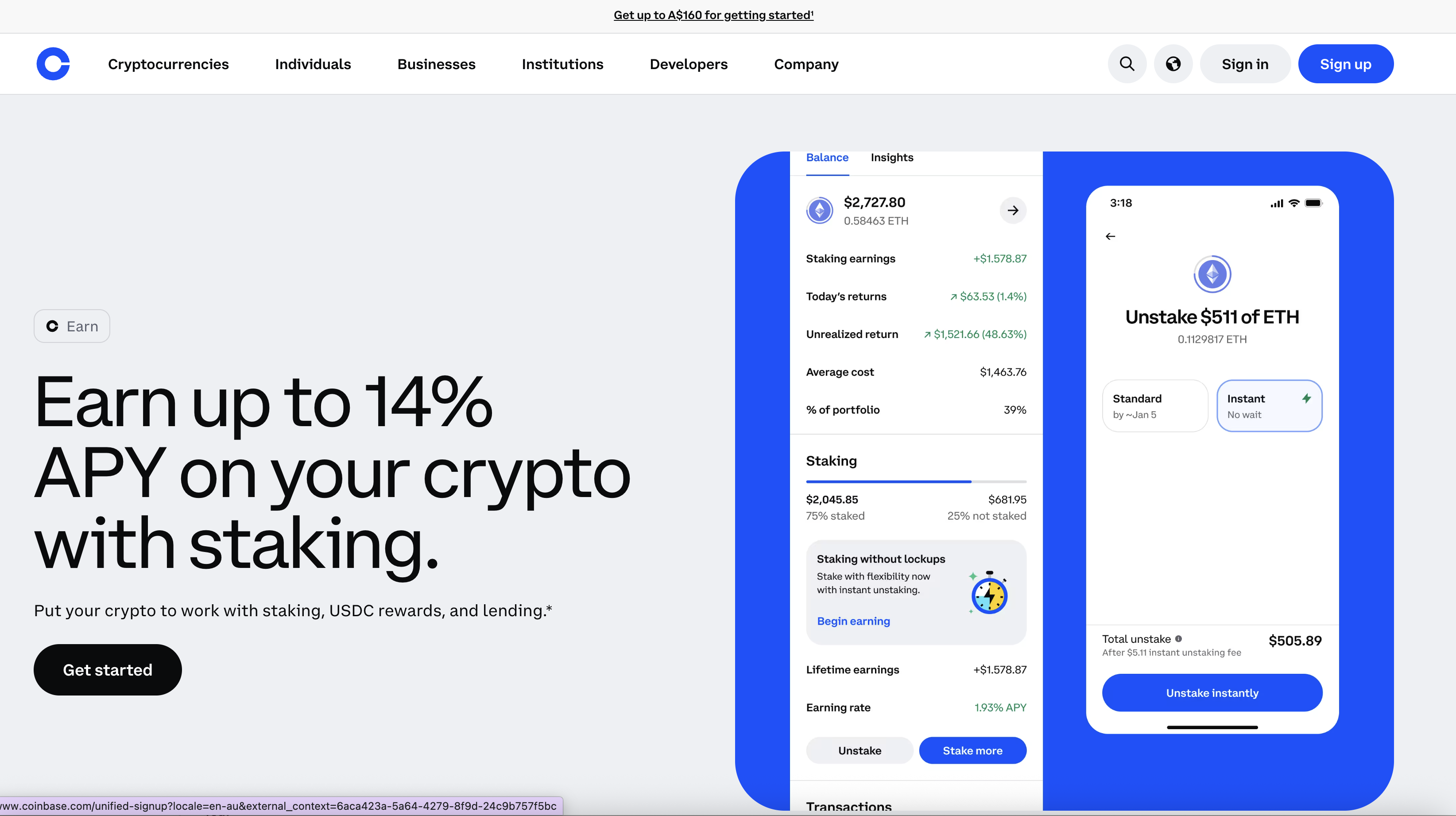
Coinbase offers competitive staking rewards with a major advantage most competitors lack: instant unstaking on most assets. You're not locked in for days or weeks.
Current Staking Rates (February 2026)
| Asset | APY | Lock Period | Coinbase Commission |
|---|---|---|---|
| USDC | 4.1% | None | 0% |
| Ethereum (ETH) | 1.93% | None* | 25% |
| Solana (SOL) | 5.2% | None | 25% |
| Cardano (ADA) | 2.5% | None | 25% |
| Cosmos (ATOM) | 14%+ | None | 25% |
| Polkadot (DOT) | 10%+ | 21-28 days | 25% |
| Tezos (XTZ) | 4.5% | None | 25% |
| Algorand (ALGO) | 5.0% | None | 25% |
*ETH unstaking is instant via liquid staking (cbETH). Rates verified on Coinbase.com as of February 11, 2026. APY rates fluctuate based on network conditions.
Commission Explained: Coinbase takes a 25% commission on staking rewards. So if a network pays 8% APY, you receive 6% and Coinbase keeps 2%. This is higher than self-staking but competitive with other custodial services. Coinbase One subscribers receive reduced commission rates.
USDC Rewards: No Staking Required
One unique Coinbase offering is automatic rewards on USDC holdings—currently 4.1% APY. Unlike traditional staking:
- No lock-up period
- No commission taken
- Rewards accrue daily
- Withdraw anytime with no penalty
This makes Coinbase competitive with high-yield savings accounts while keeping your funds in stablecoins.
Coinbase Earn (Learn & Earn)
Complete short educational videos and quizzes to earn free cryptocurrency. Current offerings typically pay $1-$3 per completed course. While the amounts are small, it's genuinely free money and a good way to learn about new projects.
Supported Cryptocurrencies
Crypto Selection Rating: ⭐⭐⭐⭐ 4/5
Coinbase supports 260+ cryptocurrencies for trading and continues to add new assets regularly. All major cryptocurrencies are available including Bitcoin (BTC), Ethereum (ETH), Solana (SOL), XRP, Cardano (ADA), Avalanche (AVAX), Polkadot (DOT), Polygon (MATIC), Chainlink (LINK), and Dogecoin (DOGE).
Notable Inclusions & Exclusions
What Coinbase offers that some competitors don't:
- Base ecosystem tokens (Coinbase's L2 chain)
- Many new memecoins added quickly
- Regulated token listings (passes legal review)
What's missing:
- Monero (XMR) - privacy coins generally excluded
- Many low-cap altcoins available on Binance/KuCoin
- Newer DeFi tokens may take longer to list
Asset Comparison by Exchange
| Exchange | Cryptocurrencies | Trading Pairs | New Listings |
|---|---|---|---|
| Coinbase | 260+ | 400+ | Weekly |
| Kraken | 200+ | 600+ | Bi-weekly |
| Binance.US | 150+ | 300+ | Monthly |
| Gemini | 80+ | 100+ | Monthly |
| KuCoin | 700+ | 1,200+ | Daily |
User Experience & Mobile App
Ease of Use Rating: ⭐⭐⭐⭐⭐ 5/5
Coinbase's interface is the gold standard for beginner-friendly cryptocurrency trading. The design philosophy prioritizes simplicity—sometimes at the expense of advanced features.
What Works Well
- Onboarding: Buy your first crypto in under 2 minutes after account creation
- Portfolio view: Clean visualization of all holdings with real-time updates
- Price alerts: Set custom notifications for any asset at any price
- Recurring purchases: Automated DCA (dollar-cost averaging) investing
- Watchlists: Track assets you're interested in without buying
- Learn section: Educational content integrated into the app
What Could Be Better
- Fee transparency: Fees only revealed at final checkout—frustrating for comparison shoppers
- Advanced Trade: Learning curve when switching from Simple interface
- Charts: Basic charting tools compared to TradingView integration on other platforms
- Load times: Occasional slowness during high-volatility market events
Mobile App Features
The Coinbase mobile app (iOS/Android) offers full trading functionality with:
- Biometric login (Face ID, fingerprint)
- Push notifications for price alerts and account activity
- Full Advanced Trade access
- Coinbase Wallet integration
- Apple Pay and Google Pay support
- Widget support for home screen price tracking
App Store Ratings: 4.8★ on iOS App Store (800K+ reviews) | 4.2★ on Google Play (1M+ reviews)
Coinbase vs Coinbase Pro (Now Advanced Trade)
In 2022, Coinbase merged the separate Coinbase Pro app into the main Coinbase app under the "Advanced Trade" section. Here's what changed:
- One account: No longer need separate accounts—switch between Simple and Advanced in the same app
- Same fees: Advanced Trade maintains the old Coinbase Pro fee structure
- Unified balances: No need to transfer funds between Coinbase and Pro
- Learning curve: Advanced Trade still requires understanding limit orders, order books, and trading pairs
If you're comfortable with the slight learning curve, there's no reason not to use Advanced Trade for every transaction—the fee savings are significant.
Customer Support
Support Rating: ⭐⭐⭐ 3/5
Coinbase offers 24/7 support across multiple channels, but reaching a human for complex issues still requires patience. The platform has improved significantly since 2023 when phone support barely existed.
Support Channels Available
| Channel | Availability | Typical Wait Time | Best For |
|---|---|---|---|
| Phone | 24/7 | 5-15 min (after menu) | Account security issues |
| Live Chat | 24/7 | 5-10 min | General questions |
| Email Ticket | 24/7 | 24-48 hours | Complex issues, documentation |
| Help Center | Always | Instant | Common questions |
| Twitter/X | Business hours | Varies | Public complaints (gets attention) |
Tips for Faster Support
- Select "account compromised" for urgent security issues—fastest path to human support
- Try live chat before phone for non-urgent issues
- Check the Help Center first—many issues have step-by-step solutions
- Coinbase One subscribers get priority support with dedicated phone line
- Document everything with screenshots before contacting support
Coinbase vs Competitors
| Feature | Coinbase | Kraken | Binance.US | Gemini |
|---|---|---|---|---|
| Best For | Beginners | Low fees | Variety | Security |
| Trading Fees | 0.6-1.2%+ | 0.16-0.26% | 0.1-0.5% | 0.25-0.40% |
| Cryptocurrencies | 260+ | 200+ | 150+ | 80+ |
| Best Staking | Up to 14% | Up to 12% | Up to 10% | Up to 8% |
| FDIC Insurance | Yes | No | No | Yes |
| US Availability | All 50 states | Most states | 46 states | All 50 states |
| Mobile App | ⭐⭐⭐⭐⭐ | ⭐⭐⭐⭐ | ⭐⭐⭐ | ⭐⭐⭐⭐ |
| Our Rating | 4.0/5 | 4.4/5 | 3.8/5 | 4.1/5 |
Our Recommendations:
- Choose Coinbase if: You're new to crypto and value security, ease of use, and peace of mind over minimal fees
- Choose Kraken if: You want the lowest possible trading fees and don't mind a steeper learning curve
- Choose Binance.US if: You want the most trading options and advanced features (check state availability)
- Choose Gemini if: You want strong security with a simpler interface and earn interest on crypto
For detailed comparisons, see:
Who Is Coinbase Best For?
Ideal Users ✅
- Cryptocurrency beginners who want a trusted, easy-to-use platform with a clean learning curve
- Security-conscious investors who prioritize regulatory compliance, insurance, and proven track record over minimal fees
- Long-term holders interested in passive income through staking and USDC rewards
- US residents seeking a fully compliant, domestically regulated exchange available in all 50 states
- Mobile-first users who want a top-tier app experience with full functionality
- Institutional investors requiring a publicly-traded, audited counterparty
Consider Alternatives If ❌
- You're a high-frequency trader: Fees add up quickly—consider Kraken for 75% lower trading costs
- You want obscure altcoins: KuCoin or Binance offer 3x more assets
- You need advanced derivatives: Coinbase offers limited futures products compared to Bybit or OKX
- You prioritize privacy: Coinbase requires full KYC and reports to the IRS
- You're in a restricted state for Coinbase features: Some states restrict staking or specific assets
How to Get Started with Coinbase
Step 1: Create Your Account (2 minutes)
Go to coinbase.com, click "Get Started," enter your email address, create a secure password, and verify your email.
Step 2: Verify Your Identity (5-10 minutes)
Enter your phone number for SMS verification, provide personal information (name, date of birth, address), upload a government-issued ID (driver's license or passport), and complete the selfie verification. Coinbase uses this information for regulatory compliance.
Step 3: Add a Payment Method (2 minutes)
Link your bank account via Plaid for the lowest fees (ACH transfers are free). Alternatively, add a debit card for instant purchases (higher fees). Avoid credit cards entirely—the 3.99% fee makes them the most expensive option.
Step 4: Enable Security Features (3 minutes)
Critical step: Set up 2FA with an authenticator app (Google Authenticator, Authy) rather than SMS. Enable login notifications for all new devices. Consider setting up withdrawal address whitelisting and vault delays for maximum protection.
Step 5: Make Your First Purchase
Use Advanced Trade (not Simple Buy) for significantly lower fees. Start with a small test amount to familiarize yourself with the process. Use limit orders instead of market orders for the lowest fees. Consider setting up recurring buys for dollar-cost averaging.
Step 6: Explore Earning Options
Complete Coinbase Earn courses for free cryptocurrency. Enable staking on eligible assets you plan to hold long-term. Consider USDC rewards for stable yield. Evaluate Coinbase One subscription if trading $500+/month.
Coinbase FAQs
Is Coinbase safe to use in 2026?
Yes, Coinbase is one of the safest cryptocurrency exchanges available. As a publicly-traded company on NASDAQ (ticker: COIN), it faces strict regulatory oversight and transparency requirements. The platform stores 98% of customer funds in offline cold storage, offers FDIC insurance on USD deposits up to $250,000, maintains SOC 2 Type II security certification, and has never lost customer funds to a hack since its founding in 2012. For additional protection, enable hardware key 2FA and address whitelisting.
What are Coinbase's fees?
Coinbase fees vary significantly by interface and payment method. The Simple Buy interface charges 1.49% to 3.99% depending on payment method, plus a ~0.5% spread. Advanced Trade charges 0.60% maker and 1.20% taker fees at low volumes, dropping significantly with higher trading volume. The cheapest option is using Advanced Trade with ACH bank deposits and limit orders, which can reduce total costs to 0.60% or less. Coinbase One subscribers can trade fee-free up to their tier limits.
Is Coinbase better than Binance?
It depends on your priorities. Coinbase offers superior security, regulatory compliance, FDIC insurance, and ease of use—making it ideal for beginners and security-conscious US residents. Binance (and Binance.US) offers significantly lower fees (0.1% vs 0.6%+), more cryptocurrencies (350+ vs 260+), and advanced trading features—better for experienced traders who prioritize cost savings. Note that Binance.US isn't available in all states.
Can I stake crypto on Coinbase?
Yes, Coinbase offers staking on multiple cryptocurrencies including Ethereum (1.93% APY), Solana (5.2% APY), Cardano (2.5% APY), Cosmos (14%+ APY), and USDC (4.1% APY). Most assets feature instant unstaking, meaning you're not locked in. Coinbase takes a 25% commission on staking rewards—if the network pays 8% APY, you receive 6%. Coinbase One subscribers get reduced commission rates.
How long do Coinbase withdrawals take?
Cryptocurrency withdrawals typically process within minutes to a few hours depending on network congestion and the specific blockchain. ACH bank withdrawals take 3-5 business days but are free. Wire transfers process in 1-3 business days with a $25 fee. Instant card withdrawals are available for a 1.5% fee and arrive within minutes.
Does Coinbase report to the IRS?
Yes, Coinbase reports to the IRS and issues 1099 forms to US users who meet reporting thresholds. All cryptocurrency transactions may be subject to capital gains tax. Coinbase provides downloadable tax reports and integrates with popular tax software (TurboTax, CoinTracker) to help users report accurately. Keep your own records as Coinbase's cost basis tracking may not be complete if you've transferred crypto from other platforms.
Is Coinbase available in my state?
Coinbase is available in all 50 US states, though some features may be restricted in certain jurisdictions. For example, staking is unavailable in some states due to regulatory requirements. Coinbase also operates in 100+ countries globally with varying feature availability based on local regulations.
What's the minimum to invest on Coinbase?
The minimum trade on Coinbase is $1 for most cryptocurrencies, making it accessible for beginners who want to start small. There's no minimum account balance required to open or maintain a Coinbase account.
What is Coinbase One and is it worth it?
Coinbase One is a subscription service offering zero trading fees up to monthly limits, boosted staking rewards, and priority customer support. The Basic tier ($4.99/month) covers $500 in fee-free trades. It's worth it if you trade more than $170/month regularly—the fee savings exceed the subscription cost. Occasional traders should stick with Advanced Trade without the subscription.
How does Coinbase compare to Coinbase Wallet?
Coinbase (the exchange) is a custodial platform where Coinbase holds your private keys. Coinbase Wallet is a separate self-custody wallet where you control your own keys. Use Coinbase for easy trading and earning. Use Coinbase Wallet if you want full control of your crypto, access to DeFi applications, or to hold NFTs.
Can I use Coinbase in New York?
Yes, Coinbase is one of the few cryptocurrency exchanges fully licensed to operate in New York with a BitLicense from the NYDFS (New York Department of Financial Services). Most features are available, though some newer tokens may be restricted pending regulatory approval.
Is the Coinbase Card worth it?
The Coinbase Card can be useful for occasional crypto spending, earning up to 4% back in crypto on purchases. However, the 2.49% liquidation fee on transactions makes it expensive for everyday use. It's best suited for travelers who want to spend crypto abroad or users who prefer not to sell on the exchange first.
What happens if Coinbase gets hacked?
Coinbase has never been hacked, but they maintain insurance coverage for the small percentage of funds in hot wallets. USD deposits up to $250,000 are FDIC insured. For maximum protection of large holdings, consider using Coinbase Vault (48-hour withdrawal delay) or withdrawing to a hardware wallet you control.
Why are Coinbase fees so high?
Coinbase's Simple Buy interface charges premium fees because it prioritizes simplicity over cost—beginners can buy crypto in seconds without understanding order books. The fees subsidize Coinbase's regulatory compliance, customer support, and insurance coverage. To pay significantly less, switch to Coinbase Advanced Trade, which offers fees competitive with other exchanges.
Can I transfer crypto from another exchange to Coinbase?
Yes, you can receive cryptocurrency from any external wallet or exchange by using your Coinbase deposit address. Coinbase supports deposits for all 260+ listed cryptocurrencies. Network fees apply (paid to the blockchain, not Coinbase), and some assets may require more confirmations before the deposit is credited.
Our Review Methodology
At Bitcompare, we independently research every platform we review using a consistent evaluation framework. Our Coinbase review is based on:
- Account creation: We opened accounts and completed full KYC verification
- Fee testing: We made real transactions to verify actual fees across payment methods
- Security audit: We verified cold storage percentages, insurance coverage, certifications, and regulatory licenses against official sources
- User experience: We tested both web and mobile interfaces on iOS and Android
- Support testing: We contacted support through multiple channels to measure response times
- Staking verification: We confirmed current APY rates directly on the platform
- Competitor comparison: We benchmarked against 15+ major cryptocurrency exchanges
We update this review quarterly or when significant platform changes occur. Last full review: February 11, 2026.
Editorial Independence: Bitcompare maintains complete editorial independence. Our reviews are based on first-hand testing and are not influenced by partnerships or advertising relationships. Where affiliate links are present, they do not affect our ratings, recommendations, or criticism. We earn commissions only when you click and sign up—not for positive reviews.
Final Verdict
Coinbase earns a 4.0/5 rating for its unmatched security, regulatory compliance, and beginner-friendly experience. The trade-off is clear: you pay a premium in fees for peace of mind and ease of use.
Best for: Cryptocurrency beginners, security-conscious investors, long-term holders, and anyone who values a regulated, insured platform over rock-bottom trading fees.
Skip if: You're an active trader who needs the lowest possible fees, or you want access to hundreds of obscure altcoins and advanced derivatives.
Bottom Line: Coinbase isn't the cheapest cryptocurrency exchange, but it's the one your grandmother could use safely—and in crypto, where billions have been lost to hacks, scams, and platform collapses, that matters more than most people realize. The fee premium is essentially paying for insurance.
Ready to get started? Visit Coinbase to create your account.
This article contains affiliate links. Bitcompare may earn a commission at no extra cost to you.


